Trình chỉnh sửa poster Text Art
Photo made of words: a picture built from your words
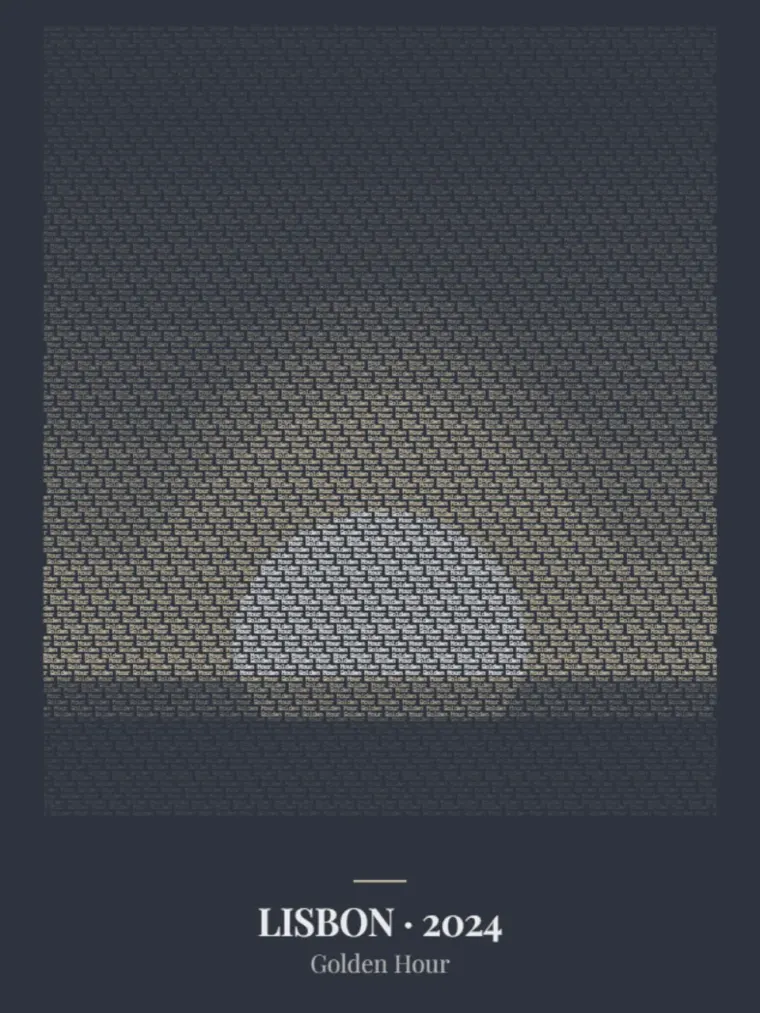
A photo of you together, your dog or a portrait. TextArt builds the picture from your own words. A name, short phrase or pet name repeats across the image. The letters take their colours from the photo and form the design together.
Upload your photo and enter the text in the editor. Up close you can see the characters; from a little further away you recognise the picture. Adjust headings, colours and text density, then compare the preview until the important features or outlines are clear.
Above or below your photo made of words, you can add up to four heading lines, such as your names, a place or a date. They are not part of the text mosaic but frame it, and you choose their font from four options. Six colour schemes set the background. Most keep the colours of your photo in the mosaic, while Ink and Slate translate it into a calm duotone. With “None”, the picture stands on its own.
Choose a photo you like with a subject that stands out from its background. Check the spelling of your text as well. Combine your own image and words in a print for your home or as a personal gift.
Frequently asked questions
What happens to my uploaded photo?
Your photo serves as the template for the text composition and is stored protected — in a private area, never publicly accessible, and deleted automatically after the retention period.
How long can my text be?
A name, a pet word or a whole sentence — up to around 100 characters. The phrase repeats across the entire image, so even a short word carries a complete poster.
How do I position my photo in the editor?
Upload a JPG, PNG or WebP of up to 10 MB and move the crop until the subject sits right. Zoom brings faces closer, the contrast slider sets light and dark further apart in the word picture, and grayscale tones the color down as far as you like. If the resolution is too low for the poster size you chose, the editor lets you know.
What does the detail level do?
It sets how many rows of text trace your photo. On “Low” the letters are larger and easy to read up close, while the picture becomes a little coarser. “High” uses smaller, denser text and shows finer details such as facial features. “Medium” sits in between. Compare the levels in the preview before you decide.
Which sizes and materials are available?
There are six poster sizes from 30 × 40 cm to 70 × 100 cm. Every size is available as a premium paper print; canvas is available for almost all formats (DIN A3 excepted). Paper posters can additionally be ordered framed — in white, black or wood.
How do printing and shipping work?
Every poster is printed after you order — made to order, not stocked. Production happens with our print partner as close to you as possible; available shipping options and delivery times are shown transparently at checkout.