プレミアム星空マップ
MAPORO
Premium star map: your night sky, photorealistic
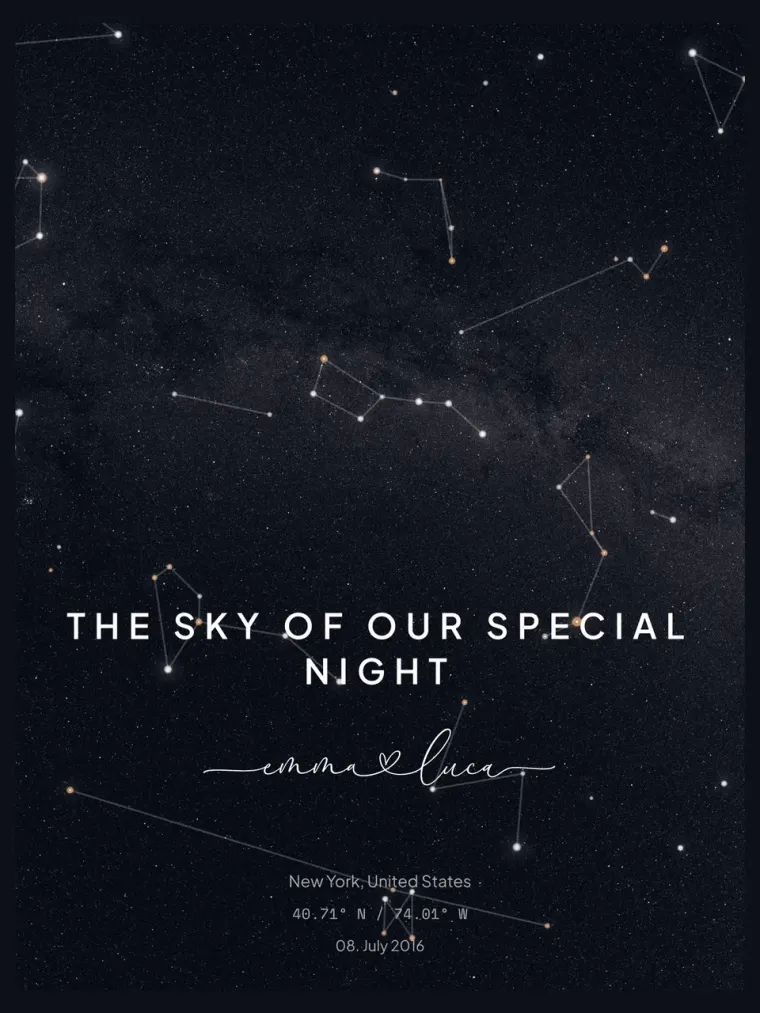
Star Map Pro shows your chosen night sky as a photorealistic rendering. Stars, the Milky Way, nebulae and the glow along the horizon have a different feel from the lines and points of the classic star map. It is a calculated render, not a camera photograph taken at your selected location.
The date, time and place determine the visible stars and planets. You can switch atmosphere and nebulae on or off individually. The available dark palettes range from midnight blue to black. Add names, a place and date to personalise the print.
As with the classic map, you search for the place by name or enter its coordinates, then add the date and time; the editor shows which local time it uses. Over the photorealistic sky you can lay constellation lines and their names, star names, planets, the celestial grid or highlighted zodiac constellations. Leave them off and only the night sky remains. Four dark colour moods are available: Navy Night, Midnight, Cosmos and Dusk.
Compare it with the classic star map. Pro is an option if you prefer the night sky as a continuous image rather than a graphic map. Check the details in your preview, then choose the size and finish.
Frequently asked questions
How is Pro different from the classic star map?
The classic map is a fine graphic rendering of lines and points. Pro renders the sky photorealistically — with atmospheric glow, nebulae and a photographic Milky Way. The astronomical accuracy is identical in both.
Why does Pro only offer dark color moods?
The Milky Way, nebulae and atmospheric glow need a dark sky to come through — on a light background they would disappear. That is why Pro deliberately focuses on deep night tones.
Is the Milky Way in the right place?
Yes. The Milky Way comes from a panorama of the entire sky, aligned pixel by pixel to your date, time and place. Its band therefore crosses the map as it stood above your chosen location at that moment. If you would like a quieter sky, you can switch it off in the editor.
Why do the stars in Pro have different colours?
Each star takes the colour suggested by its colour index in the Yale Bright Star and Hipparcos catalogues: hot stars appear bluish white, cooler ones yellowish to orange. Brighter stars are drawn larger with a stronger glow. The classic star map, by contrast, draws its stars in a single colour that matches the chosen colour mood.
Which sizes and materials are available?
There are six poster sizes from 30 × 40 cm to 70 × 100 cm. Every size is available as a premium paper print; canvas is available for almost all formats (DIN A3 excepted). Paper posters can additionally be ordered framed — in white, black or wood.
Will the print look exactly like the preview?
Yes. The editor preview is our print promise: what you design on screen is printed one to one in high resolution — same framing, same text, same proportions.